accessibility
Chrome 154 gives CSS scroll markers two focus models
Chrome 154 adds links and tabs modes to CSS scroll markers, letting component authors choose matching focus order and accessibility semantics.
Published 2026-10-02

A scrolling gallery can be easy to draw and still awkward to navigate. The useful question is not just where to place its markers, but what they mean to someone moving with a keyboard or assistive technology. Chrome 154, released September 22, adds two modes to CSS scroll-marker groups that make that choice explicit: links and tabs. The release applies to Chrome stable on Android, ChromeOS, Linux, macOS, and Windows. This is a Chrome 154 shipping update, not a claim of cross-browser availability.
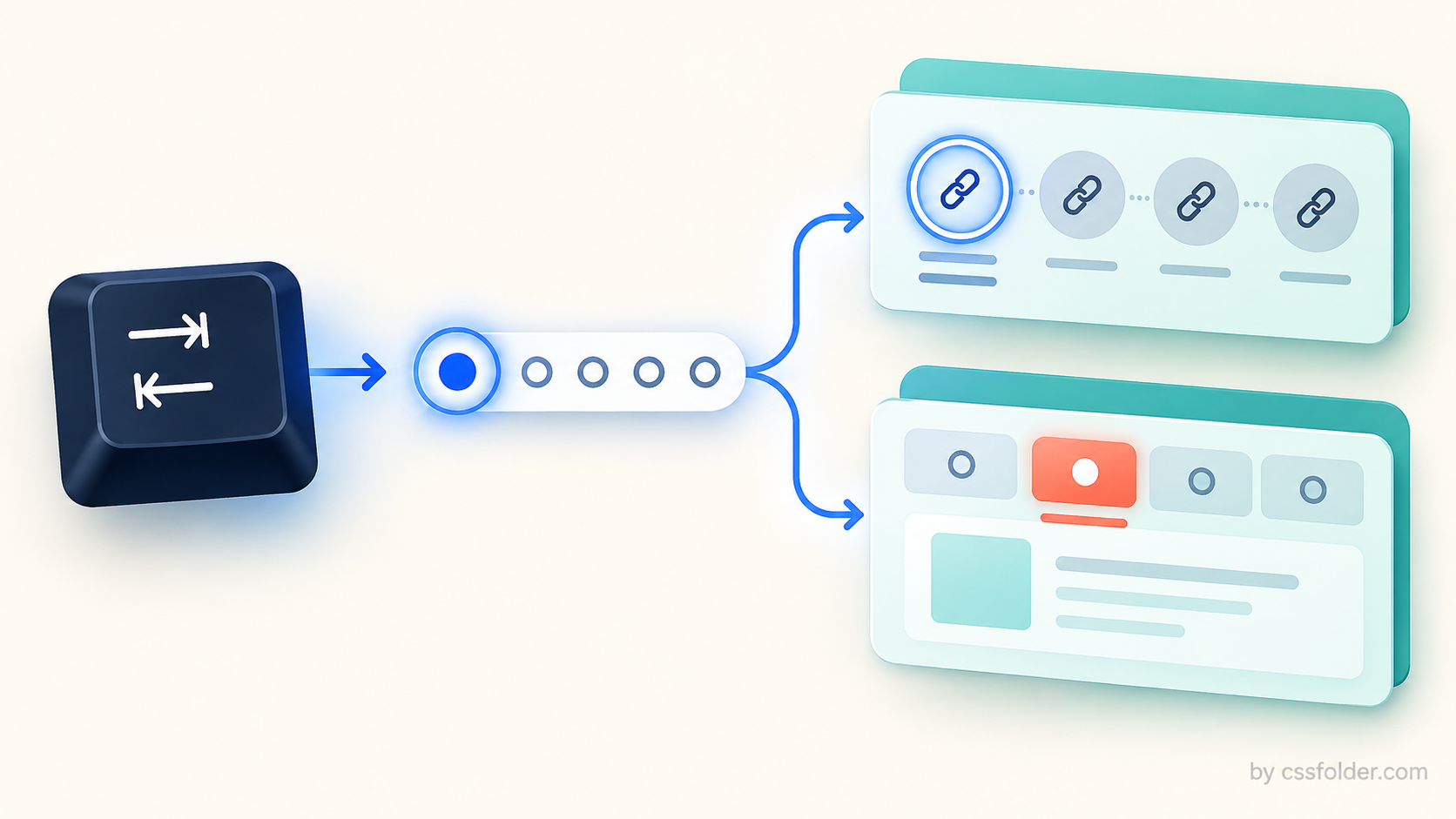
The interaction model is now part of the CSS
The scroll-marker-group property controls whether a generated marker group appears before or after a scroll container’s contents. In Chrome 154, its links and tabs modes also establish focus order and accessibility semantics for the generated ::scroll-marker-group and ::scroll-marker pseudo-elements. That means a component author can choose an interaction model that better matches what the markers represent, instead of treating every row of dots as the same control.
/* Links mode is the default */
.scroll-gallery { scroll-marker-group: after links; }

/* Tabs mode */
.scroll-gallery { scroll-marker-group: before tabs; }
The keywords are a design decision, not a decorative variation. Before using them, decide whether every destination should remain individually reachable in the ordinary Tab sequence, or whether the markers are functioning as one mutually exclusive tab set. The answer should follow the component’s actual content and behavior, including what happens to a panel when it is not selected.
Links keep every destination in the Tab sequence
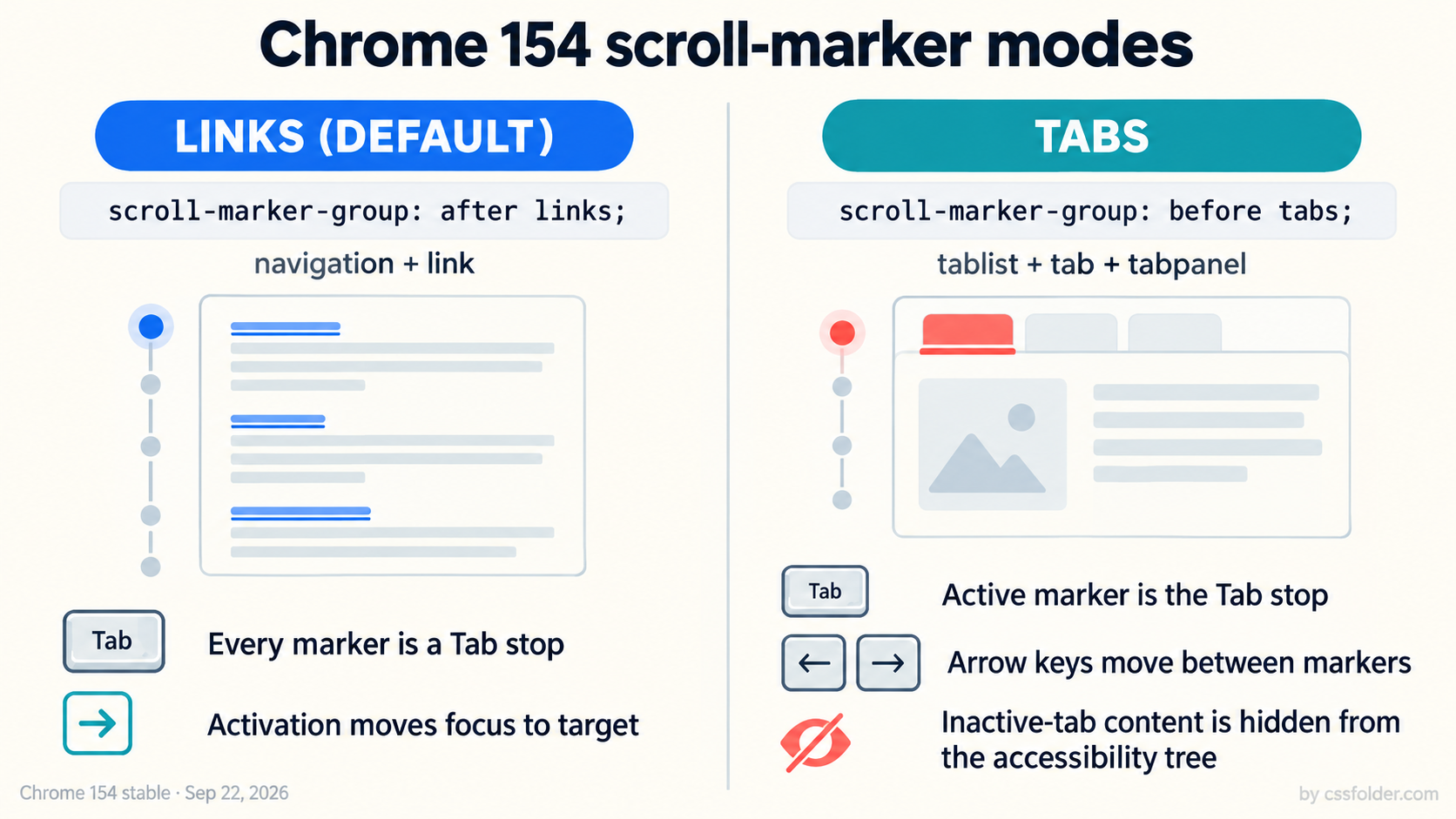
Links is the default. In this mode, Chrome says the generated group has a navigation role and its markers act as links. Every marker is a sequential Tab stop, and activating a marker moves focus to its target element. That model suits a set of meaningful destinations: a long editorial scroller, a list of distinct sections, or controls where readers may reasonably want to tab through each target in order.
Its cost is equally clear: a large marker set adds more stops to the keyboard path. That is not automatically wrong, but it should be intentional. Keep the number of markers proportional to the amount of distinct content, make the visible marker state clear, and test the real sequence with a keyboard rather than assuming that a compact visual control creates a compact focus path.
Tabs concentrate focus on the active marker
Tabs changes the generated semantics to tablist, tab, and tabpanel. Only the active scroll marker is a Tab stop; users move between markers with the arrow keys. Chrome also notes that inactive-tab content is hidden from the accessibility tree, and focus stays on the marker when it is activated. This is closer to a conventional tab interface: one selected panel is current, while adjacent choices are navigated inside the tab set.
That makes tabs a stronger commitment than a styling change. Do not choose it merely to remove Tab stops from a dense carousel. Use it when the panels genuinely behave as alternatives and when hiding the inactive content from the accessibility tree matches the experience you intend. If inactive panels still need to remain independently discoverable as content, the links model may be the more honest fit.
A practical review before adoption
Start with the component’s purpose. If markers are destinations in a scrolling document, try links and verify that focus moves to the target as expected. If the UI presents mutually exclusive panels, try tabs and test Tab entry, arrow-key movement, activation, and what assistive technologies expose for inactive panels. Then check touch, reduced-motion behavior, and your fallback experience in the browsers you support. Chrome 154 gives authors a clearer native choice; it does not remove the need for interaction testing or a support plan.
The main benefit is precision. A strip of markers can now communicate either a navigation list or a tab set directly through CSS, with matching focus behavior rather than an improvised JavaScript layer. For component libraries, documenting that choice alongside the visual variant can prevent a small carousel pattern from quietly becoming a keyboard trap.
Primary source
Chrome for Developers, “Chrome 154” release notes, stable release date September 22, 2026: https://developer.chrome.com/release-notes/154