browser features
Chrome 155 puts JPEG XL on the image-pipeline test bench
Chrome 155 makes JPEG XL worth a measured image-pipeline test alongside AVIF—not a blanket fallback-removal decision.
Published 2026-10-09

Chrome 155 now decodes JPEG XL images. That is a meaningful change for teams that own image pipelines, but it is not a cue to replace every image format or retire fallbacks overnight. The useful response is narrower: add JPEG XL to a focused evaluation alongside the formats you already use, then make a delivery decision from the behavior your product actually needs.

What Chrome 155 changed
Chrome announced on 6 October 2026 that JPEG XL decoding support starts with Chrome 155. JPEG XL can provide lossy or lossless compression, built-in HDR support, lossless JPEG transcoding, and fine-grained progressive decoding. Chrome’s implementation uses jxl-rs, a pure Rust decoder. Those properties make the format worth testing for image-heavy interfaces, especially where photographic detail, a lossless source path, or progressive display behavior matters.
The announcement is deliberately more measured than “replace JPEG everywhere.” Chrome recommends trying both AVIF and JPEG XL. That recommendation is a good framing for implementation work: a format is useful when its output and operational trade-offs suit a particular asset class, not when its capability list sounds impressive in isolation.
Treat format choice as an asset decision
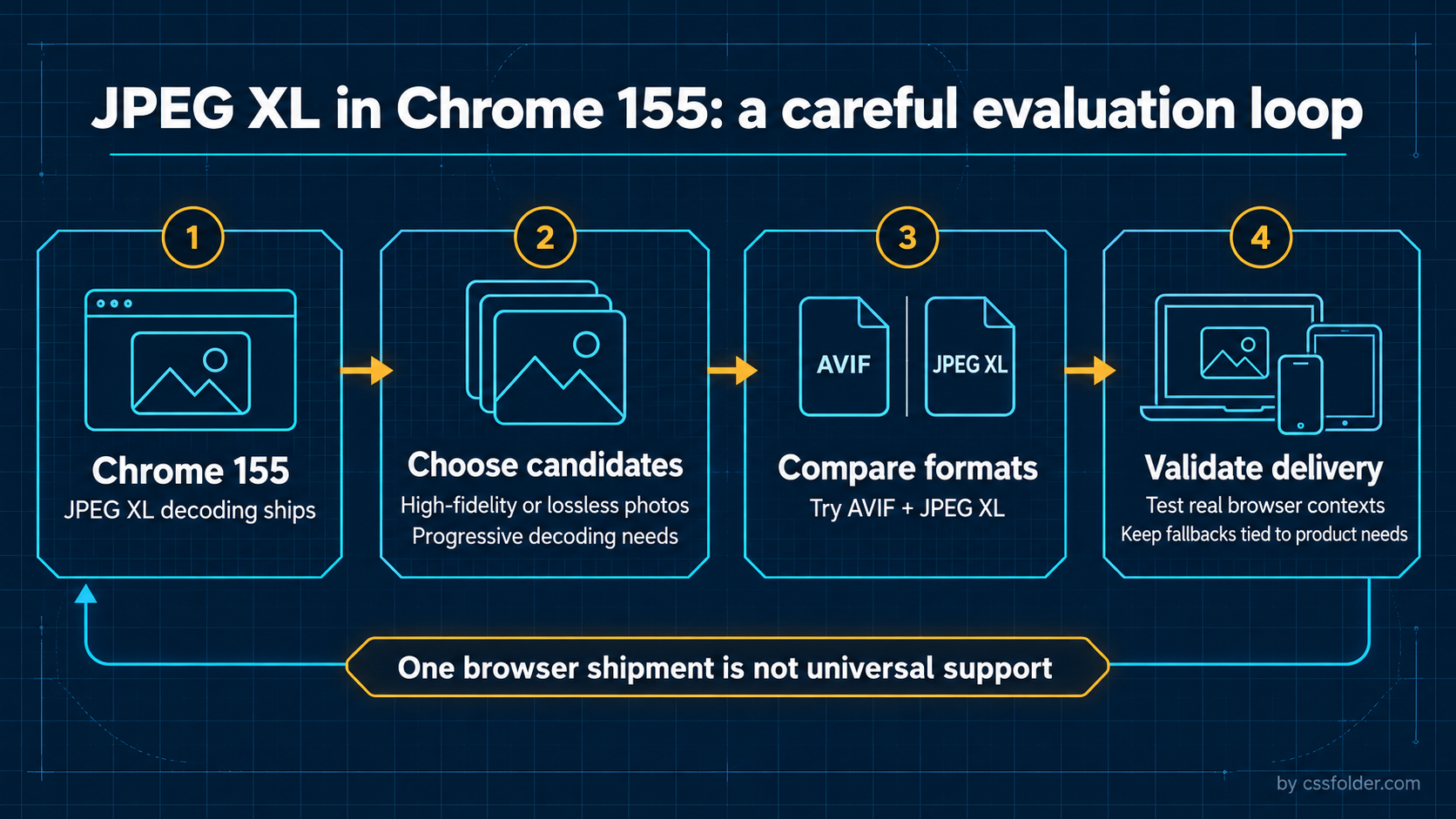
Start with a small representative set instead of a whole-library conversion. Include one detailed photograph, one image where subtle texture or gradients are important, and one candidate that needs a lossless master or a progressive presentation. Keep the source image and crop constant while creating comparable AVIF and JPEG XL outputs. The goal is not to declare a winner from one file; it is to find patterns that matter to the assets visitors see.
Review visual fidelity at the dimensions and densities your interface actually serves. Inspect fine edges, texture, gradients, and any visible banding or artifacting. Then check the delivery path: responsive variants, CMS transformations, caching, image optimization, and any proxy or CDN that touches the file. A format can decode in a browser and still be impractical if a required part of the publishing pipeline cannot preserve, transform, or serve it as intended.
Keep browser context and fallbacks in scope
A browser shipment is a specific compatibility fact, not a universal support statement. The Chrome news establishes JPEG XL decoding in Chrome 155; it does not establish the behavior of every browser, embedded web view, email client, CMS, or asset-processing service your users encounter. Keep compatibility decisions tied to the audience you support and verify each context that matters to the product.
For a progressive rollout, a picture source set can let capable browsers select a preferred candidate while preserving a broadly usable fallback. The order and types should reflect the formats you have tested, not a generic ranking. A small example shows the structure without claiming a support matrix:
<picture>
  <source srcset="hero.jxl" type="image/jxl" />
  <source srcset="hero.avif" type="image/avif" />
  <img src="hero.jpg" alt="Snow-covered mountain beside a lake" />
</picture>
Use real assets and real delivery headers when validating this pattern. Confirm the fallback remains useful if the first source is not selected, and make sure meaningful image alt text stays attached to the image rather than disappearing during a component or CMS migration. The markup is only the start of the work; encoder settings, assets, and the observed client mix determine whether it is a worthwhile change.
A practical test loop for frontend teams
Create a short test sheet for each candidate: source asset, intended placement, output dimensions, encoder settings, visual review notes, delivery route, and the contexts checked. Separate facts from conclusions. “Chrome 155 decodes JPEG XL” is a source-backed fact; “JPEG XL is the best replacement for this product” requires evidence from your own files, audience, and operations. That distinction keeps an image-format experiment from becoming an overconfident migration.
Chrome also says it took part in the Interop 2026 JPEG XL Investigation to improve test coverage. For product teams, the parallel is useful: repeatable checks are more valuable than a one-off demo. If JPEG XL proves valuable for a defined set of assets, introduce it intentionally, monitor the real experience, and retain the tested fallback strategy where your requirements call for it.
Primary source
Chrome for Developers, “Shipping JPEG XL in Chrome,” published 6 October 2026: https://developer.chrome.com/blog/jpeg-xl-in-chrome